
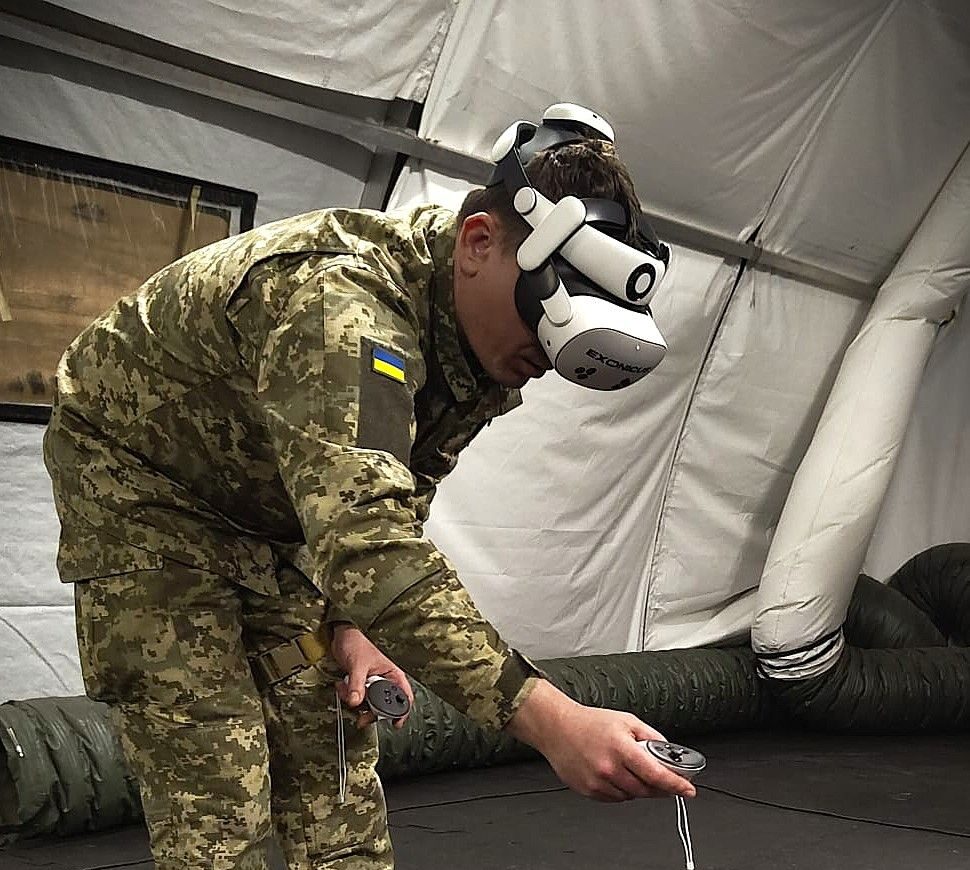
Introduction: Real-World Applications
Our customers deploy Exonicus in four primary ways, each designed to maximize training effectiveness while minimizing logistical complexity:
From Setup to Simulation in Under 20 Seconds
Getting started is as simple as three steps: turn on the headset, launch the software, and select your scenario. Built-in control instructions guide users through their first experience, while optional orientation scenarios provide detailed walkthroughs for first-time users who want extra preparation. Whether you're running mass training for 50 participants, enhancing a classroom lecture, rotating through simulation stations, or enabling independent practice, every deployment starts the same way—fast and effortless.
Common Deployment Scenarios:
Mass Training Events: Get 20-50+ trainees started simultaneously in under 5 minutes
Enhanced Classrooms: Switch from lecture to immersive patient simulation instantly
Rotation Stations: Move trainees between scenarios without delay or setup
Independent Practice: Users start training anytime without staff assistance
Maximize Training Time, Minimize Preparation Effort
No more late evenings or early arrivals to prepare training environments. With decreasing available training time across military and healthcare settings, having tools that activate instantly is critical. Our solution eliminates setup overhead almost entirely - instructors and facilitators can focus on teaching rather than logistics. This efficiency multiplier applies across all deployment models: mass training events start on schedule, classroom demonstrations happen spontaneously, rotation stations run continuously, and independent practice sessions begin the moment a trainee is ready.
Time Savings Across Use Cases:
Training On Demand - No Manikins, No Supplies, No Limits
Since all you need is the headset, medical training no longer requires lifting heavy manikins, sourcing consumable supplies, or managing complex equipment. Every device becomes a complete simulation classroom capable of delivering sophisticated training scenarios. This fundamental shift in training logistics makes advanced simulation accessible at any scale—from single-user independent practice to 50+ participant mass training events. Classroom instructors bring patient encounters directly into lectures. Rotation facilitators manage multiple stations simultaneously. Trainees practice skills 24/7 without consuming resources or requiring support.
Resource Advantages by Application:
Our Aim Is to Be Your Success Partner - From Implementation to Optimization
Implementing new training technology shouldn't feel like navigating alone. We're committed to helping you get maximum value from our solution through every phase of adoption. In-depth onboarding tailored to your specific use case—mass training, classroom enhancement, rotation stations, or independent practice—ensures your team launches confidently. Comprehensive support plans provide ongoing access to technical expertise and training optimization guidance. Phone-based support delivers immediate assistance without IT department dependencies. Our goal isn't just successful technology implementation; it's transforming your training capabilities while making the innovation process feel manageable and supported.
Partnership Across Your Journey: